Top 6 Dental Online Intake Form Solutions Compared
Compare 6 dental intake form tools: FormDr, Yapi, mConsent, iDentalSoft, CERTIFY Health and PracticeDilly, by PMS fit, patient handoff and front-desk work.
Summary: The best dental online intake form solution depends on a practice's specific needs. FormDr is ideal for basic send-and-receive tasks, Yapi excels in pre-visit texting, mConsent integrates with EMR systems, iDentalSoft offers cloud-based intake, CERTIFY Health provides multi-channel readiness, and PracticeDilly ties forms to front-office communication. Each option addresses different operational challenges, from reducing paperwork to enhancing patient communication.
A lot of dental offices get told to pick whichever form software looks nicest to patients. That advice falls apart when front desk staff are already buried in chairside check-ins, recall calls, insurance verification hold music, and empty calendar slots. A pretty intake form does nothing if finished answers sit unread in an inbox or land in the wrong digital bin.
What matters is practical, and it is operational. The right setup gives every completed submission a named staff owner, a fixed place in the patient chart, and an obvious next step before the patient walks in. That structure is what stops duplicate calls, buried text replies, and the morning scramble of handing out clipboards.
The six platforms below handle different parts of the problem. Some simply send forms out and pull them back in, others tie documents to patient messaging, and several help offices feed data directly into clinical records.
| Tool | Best fit | Main thing to check |
|---|---|---|
| FormDr | Simple send-and-receive intake | Who reviews finished packets before the visit |
| Yapi | Texting forms before the visit | Who clears the shared text inbox |
| mConsent | EMR integration (Open Dental, Dentrix, Eaglesoft) | Which fields write back and which need approval |
| iDentalSoft | Cloud-based paperless intake | Whether charts also live in the cloud |
| CERTIFY Health | Multi-channel visit readiness | Rules for each channel so queues do not multiply |
| PracticeDilly | Forms tied to front-office communication | Separate notification tags for intake alerts |
1. FormDr: best for a simple send-and-receive intake form
FormDr dental intake form handles the basic intake job without extra fluff: you send documents to patients, and they return completed files over the web. That narrow focus helps office managers who just want to drop paper without buying a whole communication platform to replace their clipboards.
Teams that already have steady workflows for recall outreach, reminder pings, and treatment plans tend to get the most use out of FormDr. A coordinator sends the link, checks that answers came back, and keeps scheduling inside the existing software without dragging every unrelated patient conversation into a new tool.
The friction shows up after someone clicks submit. A simple delivery system still needs an assigned employee who reviews finished packets before the appointment, since digital forms only save time if somebody checks the answers ahead of time.
2. Yapi: best for texting forms before the visit
Yapi online dental forms lets new patients complete registration online, and it gives staff a way to text or email existing patients for quick updates before the visit. You reach people through the text inbox they already check several times an hour.
It works well for clinics where returning patients often arrive with expired insurance details, outdated health histories, or missing consent signatures. Texting links ahead of time gives the front desk a clear checkpoint, so the coordinator can see who finished the packet before deciding to place a reminder call or prep a tablet at the counter.
Staff have to watch that inbox closely. When forms, visit reminders, and random patient replies all land in one communication feed, one person should clear lingering threads at set hours so patient responses do not disappear into a shared void.
3. mConsent: best for practices that need EMR integration
mConsent dental patient forms focuses on pushing signed paperwork directly into dental EMR systems, with support for Open Dental, Dentrix, and Eaglesoft. It helps offices that want submitted information to go straight into patient charts instead of paying someone to download PDFs, print paper files, or retype medical histories by hand.
Busy teams that treat intake as a clinical record rather than a quick registration step will appreciate mConsent. A treatment coordinator trying to fill an empty chair needs updated health backgrounds, insurance policies, and signed consents in view before an opening gets confirmed.
Integration is more than a box to tick. Offices have to learn which fields write directly back to the database, which entries need manual staff approval, and where rejected or partial submissions sit until an employee fixes them.
4. iDentalSoft: best for cloud-based paperless intake
iDentalSoft dental forms online swaps out paper clipboards for a web intake system. It is aimed at dental teams that want records connected to their broader cloud setup instead of another stand-alone form tool.
It fits offices already running daily clinical schedules on cloud servers. Morning check-in gets moving faster once receptionists stop reading bad handwriting, collecting signed clipboards, or shoving paper sheets through a scanner before a hygienist can seat the patient.
The catch is software borders. Cloud-only intake forms pay off when the office keeps charts there too, but they create extra tabs if your team still handles recalls, calendar slots, and treatment plans in on-premise programs. Before you buy, trace every step a patient record takes between online submission and the dentist opening the chart. A digital form screen can look fine and still add work all day.
5. CERTIFY Health: best for multi-channel visit readiness
CERTIFY Health dental intake software gathers patient identification, medical histories, consent documents, and coverage details through phones, web pages, waiting room kiosks, counter tablets, and back-office review screens. That makes it a fit for practices whose patients rarely finish paperwork the same way.
Some people fill out links on an iPhone in the parking lot. Others want an office iPad, and a few need a front desk clerk beside them typing insurance card numbers. CERTIFY Health handles those differences by giving staff fallback options whenever someone walks in unprepared.
Configuration takes real work. Open five channels without clear operating rules, and you have five separate queues for the front desk to watch all day. Staff have to decide which channel sends first in text reminders, when someone needs help, and how missing insurance cards get flagged before the patient is called back to an operatory.
6. PracticeDilly: best for forms tied to front-office communication
PracticeDilly front office software puts digital registration packets beside text reminders, web scheduling calendars, automated recall sequences, and review requests. It fits small administrative teams that need intake alerts next to active patient messaging threads.
One employee often runs the whole desk. Between answering incoming calls, confirming tomorrow's arrivals, and filling schedule holes, that person needs one dashboard to see who needs a registration link and who missed an appointment.
The risk with bundled platforms is visual clutter. If intake alerts get buried among routine text replies and review requests, staff miss missing medical histories until a patient is already in the chair. You need to confirm beforehand that submitted documents carry clear, separate notification tags.
How should a dental office choose?
A dental office should choose the intake tool that matches the next staff action, not the prettiest form builder. The practical question is: after a patient submits the form, who sees it, what changes in the patient record, and what happens if the patient replies with a scheduling or insurance question?
A short selection process works better than a long demo checklist:
- Pull a real new-patient form, a returning-patient medical update and one consent your team uses often. A generic sample form misses the exact fields that slow your front desk.
- Send each vendor the same intake scenario and ask where completed forms, incomplete forms and patient replies appear. Screenshots matter more than promises.
- Test one callback path. A patient who submits a form may still ask about insurance, timing or treatment cost, and that reply needs an owner before the visit.
- Decide what writes back into the system of record and what requires review. Direct integration is valuable only when staff trust the data path.
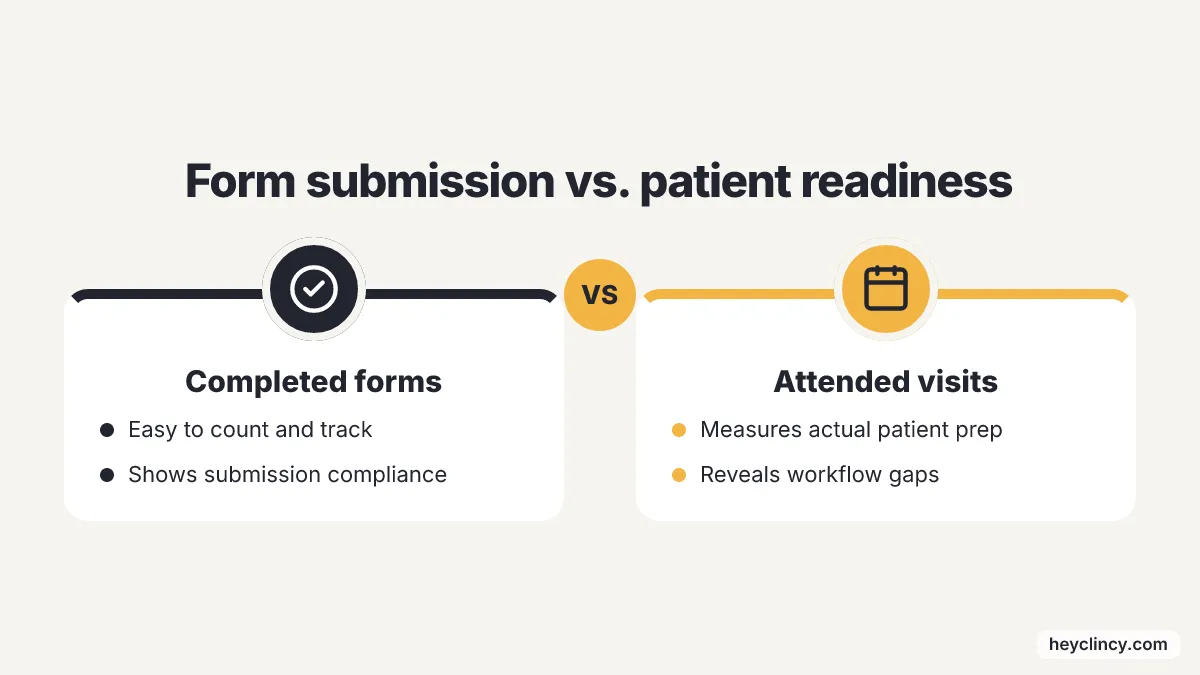
- Measure attended visits, not just completed forms. A finished form is useful because it gets the patient ready for a kept appointment.
Open Dental practices have one extra decision because first-party tools are moving. In April 2026, Open Dental's Version 25.4 went stable with OCR for eClipboard that processes insurance card text and auto-populates it onto patient forms, according to the Open Dental Version 25.4 stable release. A practice already using Open Dental's intake tools should compare that native workflow before adding a third-party forms vendor.
Address data also deserves a specific question in demos. In July 2026, Open Dental said its free address-verification tool was affected by a USPS policy change, with the effective date extended to August 1, 2026 while Open Dental researched alternatives, according to the USPS address verification announcement. A forms vendor that writes addresses into Open Dental should explain how address validation works if that native check changes.
PMS-native patient experience tools are raising expectations outside Open Dental as well. In March 2026, Henry Schein One said Dentrix Ascend packages added AI-powered Digital Forms and reported 22 million forms completed in 2025, according to the Henry Schein One release. In January 2026, Planet DDS announced MyTooth as a native Denticon patient-experience layer with mobile-first scheduling and digital forms, according to the Planet DDS MyTooth launch.
The exception is a small, stable practice that only needs a clean new-patient form and already has disciplined front-desk follow-up. That office should not buy a larger communication suite just to avoid paper, because a simpler form tool plus a daily completion check may be easier to run.
Patient intake should also connect to recall and treatment follow-up when the front desk is responsible for both. Clincy is building AI calls and texts for dental patient reactivation and unscheduled treatment follow-up, with Open Dental as its initial pilot focus, and practices comparing intake tools can pair that thinking with a patient reactivation workflow and pilot when overdue patients need confirmed next steps.
Unscheduled treatment creates a different handoff from new-patient intake. A coordinator following up on accepted-but-unscheduled care needs current contact preferences, insurance details and a clean note trail, so the intake process should not sit apart from the unscheduled treatment follow-up workflow.
A practice building forms from scratch can start with a Clincy New Patient Intake Form Template before buying software, because the field list should be settled before the platform decision. If the same team is also calling overdue patients, the Clincy Patient Reactivation Scripts give staff a way to separate form collection from appointment-setting language.
Marketing context matters only when intake is part of a larger booking system. Clinads clinic marketing agency is a marketing agency for dental and medical clinics that builds, manages, and optimizes campaigns to book patients and improve local visibility, while the intake tools in this list handle the form and front-office handoff after a patient engages.
Where should a dental office start?
Start with one workflow, not six demos. Pick the patient path that causes the most daily friction, such as a new patient arriving without forms, an existing patient needing an updated history, or a treatment patient replying after an opening appears.
The first action is to write the handoff on paper: form sent, form completed, staff review, chart update, patient reply, appointment status. A dental online intake form solution is worth buying when it removes a named step from that path or gives one person clear ownership of the next action. Stop the evaluation when the vendor cannot show where incomplete forms and patient replies land, because the front desk will inherit every unclear edge case.
Frequently Asked Questions
What is the best dental online intake form solution for basic send-and-receive tasks?
FormDr is the strongest fit in this list for basic send-and-receive tasks. It allows dental offices to send documents to patients and receive completed files over the web, making it ideal for practices that want to eliminate paper without adopting a full communication platform.
Which dental intake form solution is best for pre-visit texting?
Yapi excels in pre-visit texting. It allows staff to text or email patients for quick updates before their visit, making it suitable for clinics where patients often arrive with outdated information or missing signatures.
How does mConsent integrate with EMR systems for dental practices?
mConsent focuses on integrating signed paperwork directly into dental EMR systems like Open Dental, Dentrix, and Eaglesoft. This integration helps offices streamline the process by automatically updating patient charts with submitted information, reducing the need for manual data entry.
What makes iDentalSoft suitable for cloud-based paperless intake?
iDentalSoft is designed for dental teams that use cloud-based systems for their daily operations. It replaces paper clipboards with a web intake system, allowing for faster check-ins and eliminating the need for scanning paper documents.
How does CERTIFY Health handle multi-channel patient intake?
CERTIFY Health gathers patient information through various channels such as phones, web pages, kiosks, and tablets. This flexibility accommodates patients who complete paperwork in different ways, ensuring that staff have multiple options to collect necessary information.
Which dental intake form tool fits a one-person front desk?
PracticeDilly fits small administrative teams where one employee runs the whole desk. It puts digital registration packets beside text reminders, web scheduling, recall sequences and review requests, so intake alerts sit next to active patient messages; staff should confirm that submitted documents carry clear, separate notification tags.
How should a dental office test intake vendors before buying?
A dental office should send every vendor the same real intake scenario and ask where completed forms, incomplete forms and patient replies appear. It should also decide what writes back into the system of record and measure attended visits, not just completed forms.
Related reading
- 6 Best Dental Patient Intake Form Examples to Copy
- Top Dental Clinic Review Platforms in the United States
- Top 6 Arizona Dental Clinics by Care Specialty and City
- Text Messaging for Dentists: 6 Recall Tools Compared
Sources
- Dental Intake Form - FormDoctor
- Paperless Dental Forms Using Yapi
- Online Dental Patient Intake Forms - mConsent
- Dental Forms Online That Make Patient Intake Easy - iDentalSoft
- Dental Patient Intake Software for Modern Practices - CERTIFY Health
- Dental Patient Communication Software for Lean Front Office Teams - PracticeDilly
Clincy keeps treatment conversations moving with personalized texts, human support, and scheduling in your practice management system.
Book CallMore from the blog
1 Best Open Dental Patient Reactivation Software
Compare six reactivation tools by Open Dental fit, reply ownership and recall workflow, with the questions small dental teams should ask before buying.
6 Best 6 AI Vendors for Dental Treatment Reactivation
Six AI vendors for dental treatment reactivation compared on practice software integration, outreach channels and booking, plus how to trial one.