6 Best Dental Patient Intake Form Examples to Copy
Compare six dental patient intake examples by language access, online completion, and health history depth before changing your front desk workflow.
Summary: Dental patient intake forms make a smooth first visit possible by collecting essential information such as contact details, medical history, allergies, and insurance information. Effective intake processes reduce front desk workload and improve patient experience by preventing repeated questions and ensuring all necessary data is available before the appointment. Practices should choose forms that match their operational needs, whether online, multilingual, or paper-based.
Our directory lists 3,399 Dental clinics across 1,038 cities as of November 2026, which means a new patient has plenty of ways to compare how easy a practice is to deal with before the first visit. Dental patient intake is one of the first places that ease shows up: the form is complete, the front desk has the right details, and the patient is not asked the same question twice.
A weak intake process costs the front desk time before it costs the practice anything else. Missing allergies, unclear insurance details, untranslated forms, and paper packets that never make it back into the chart all turn into callbacks during check-in, when the same team is already answering phones and filling schedule openings.
The best choice for most independent dental practices is not the longest form or the newest patient intake software. The better standard is simpler: collect only the information the clinical and front desk teams will use, give patients a realistic way to complete it before the visit, and assign one person or system to own the reply.
1. Advanced Dental Partners: best for full front-desk intake
Advanced Dental Partners patient intake forms are the strongest example when a practice wants intake to cover the main front-desk and clinical handoff points before the patient arrives. Advanced Dental Partners says its Patient Resources include HIPAA forms and Intake Forms that gather contact information, medical history, allergies, and insurance details, which maps closely to the information a coordinator usually needs before check-in.
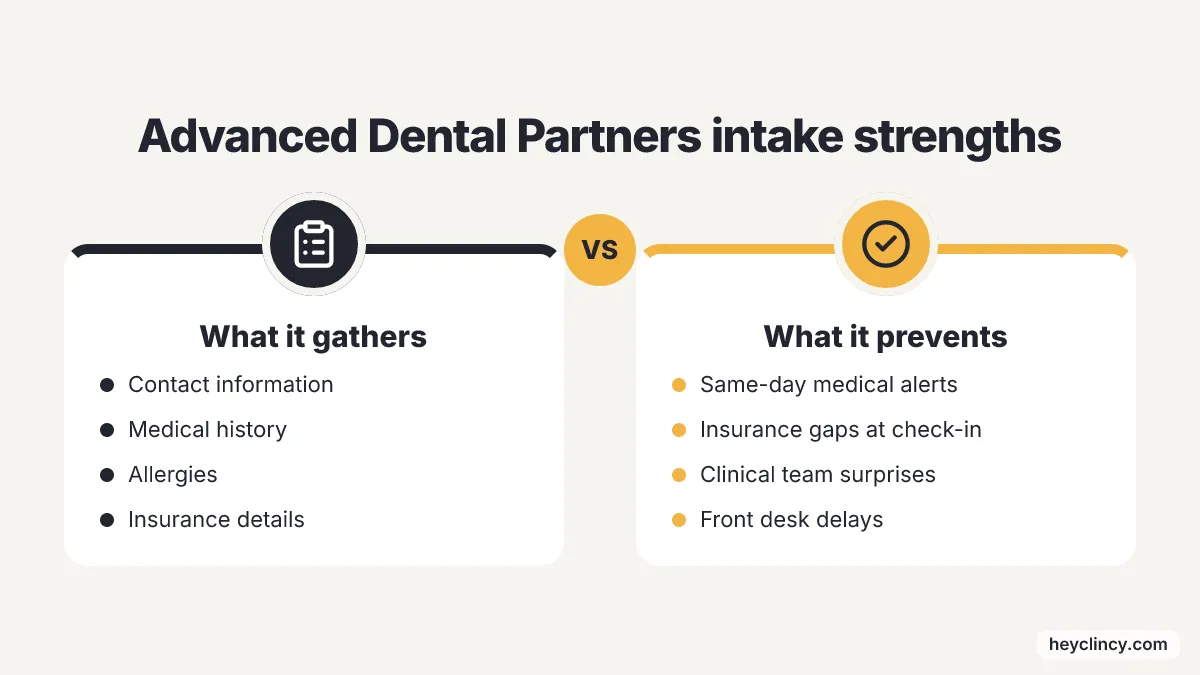
A form set like this suits a practice that wants fewer same-day interruptions around medical alerts and insurance basics. Contact information supports appointment reminders, allergies support the clinical team, and insurance details give the front desk a chance to spot gaps before the patient is standing at the counter.
The trade-off is setup discipline. A fuller intake packet only helps when completed fields are reviewed before the visit and recorded in the practice system, because a long form that nobody checks becomes another document for staff to chase.
2. Willamette Dental: best for pre-appointment online completion
Willamette Dental new patient forms stand out for sending patients toward completion before the appointment instead of waiting until arrival. Willamette Dental says appointment reminder messages include a link for patients to complete two online forms ahead of the appointment, with basic medical and dental history information collected before the visit.
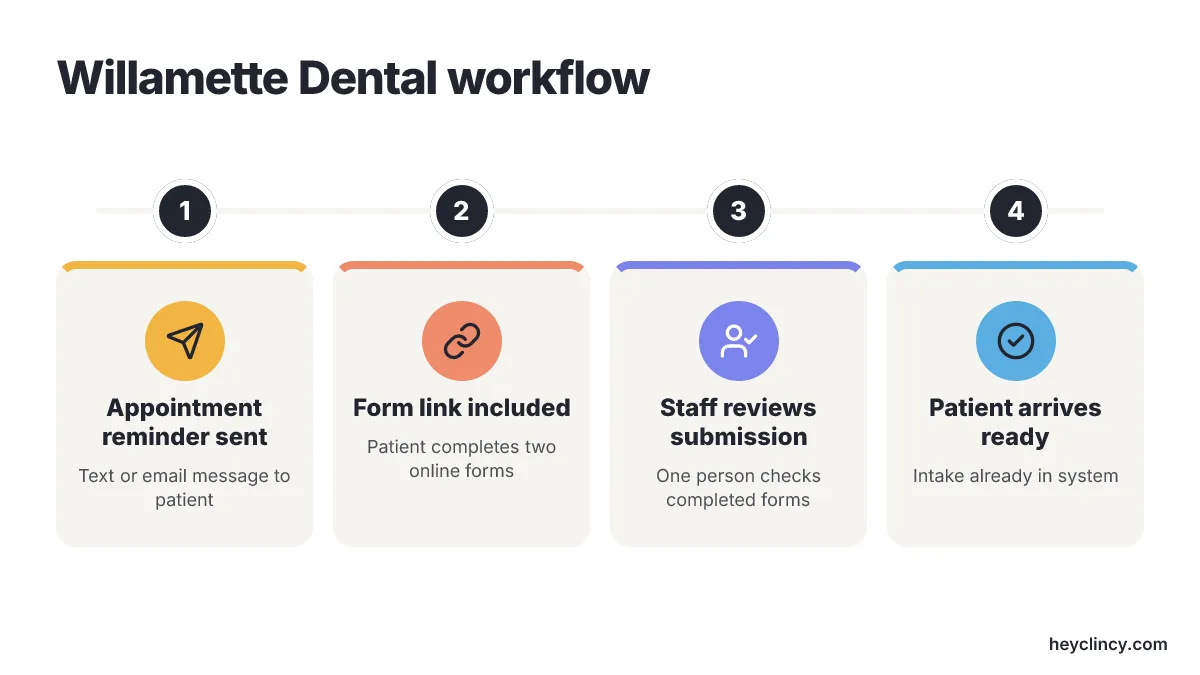
A reminder-linked intake workflow fits practices that already rely on text or email reminders and want intake to ride the same patient habit. The patient receives a prompt tied to the appointment, not a separate instruction buried on the website, which makes the front desk less dependent on explaining the form during a busy phone call.
The operational risk is reply ownership. Online completion works best when one staff member, or one monitored queue, checks which patients submitted the forms and which need a callback, because unanswered form problems still land at check-in if nobody reviews them earlier.
3. Dr. Dental: best for multilingual patient packets
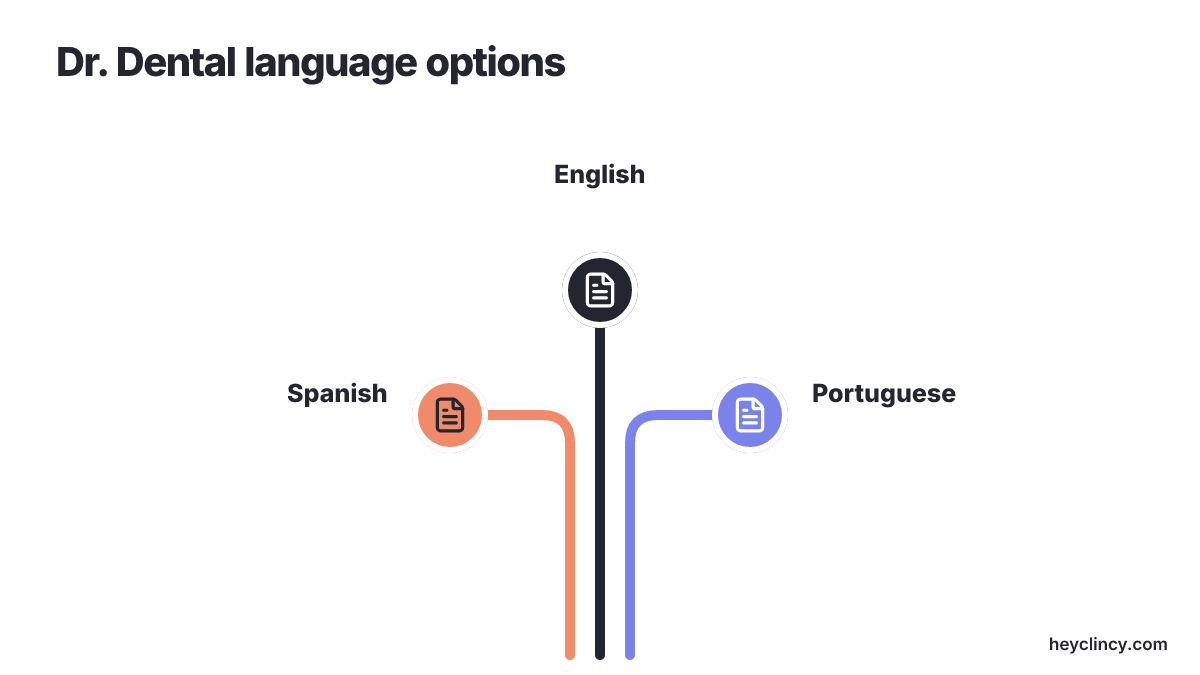
Dr. Dental online patient forms stands out on this list for practices that want downloadable intake packets in several languages. Dr. Dental gives people New Patient Packets in English, Spanish, and Portuguese, which makes the first step less awkward when medical and dental history forms are hard to read in English.
Front desk staff feel that relief right away when patients stop getting stuck on medical terms while they stand at the counter. Multiple languages do not replace a careful staff review, but they do cut down on the constant back-and-forth over demographic details, health history, and basic consent statements that people tend to skim.
Downloadable files still depend on patients remembering to finish them. The best results come from pairing the right language file with a reminder before the visit and giving plain instructions for how to send the pages back, because a website link alone will not place the finished records into a chart.
4. Community Dental: best for health history focus
Community Dental patient intake form gives offices a practical pattern when they want health history front and center from the start. With Community Dental's Patient Intake Form, the office collects standard patient info while asking every new arrival to complete a dedicated Health History section. That clinical focus helps teams that plan chair time around medical realities.
Medications, chronic illnesses, and systemic health conditions change how hygienists and dentists approach treatment, so those answers belong near the beginning instead of getting buried on the last page of a long packet.
Offices using this method need a firm rule for missed questions. If a patient leaves the Health History section blank, staff should catch the gap before the appointment by setting a quick phone call or flagging the file for the dentist. Scanning an unfinished PDF into the practice software does nothing for the clinical team.
5. New Dental Images: best for printable first-visit forms
New Dental Images patient forms offers a simple setup for practices that want patients to print their intake documents at home and bring them into the clinic. New Dental Images says patients can view and print first-visit dental forms right from the site, covering people visiting both the Sacramento and Elk Grove offices.
Paper packets fit patient groups that resist digital portals, and they also suit practices that do not want the upkeep of complex web form software. Physical sheets keep lobby wait times under control if the automated appointment reminder tells patients to bring everything completed, with a backup plan for the person who leaves the pages on the kitchen table.
Visibility is still the main problem with this method. Printable files give zero tracking data on who finished their paperwork ahead of time, so the daily calendar should mark incoming appointments where intake is missing and let front desk staff budget extra minutes at check-in.
6. DC Dental Care: best for basic registration capture
DC Dental Care patient registration strips things down to the bare minimum by sticking to primary registration data. The Patient Registration form asks for name, date of birth, sex, and mailing address, collecting the demographic minimum a front desk needs to open a new chart. A trimmed sheet helps clinics that want to gather demographic entries first and handle clinical history, insurance cards, or treatment consents in separate steps later. Gathering the basics takes very little time, so staff can log the core identity details and get the appointment slot ready without slowing the patient on day one.
That narrow scope needs deliberate follow-through. A registration sheet is not a full dental intake system by itself, so clinical background, medications, and insurance validation need their own separate step before the patient sits in the chair.
How to choose a dental patient intake workflow
The right intake workflow starts with the next staff action, not the form format. A practice using Open Dental should decide where each answer will live, who checks missing fields, and when the coordinator contacts the patient before comparing online forms, PDFs, and printable packets.
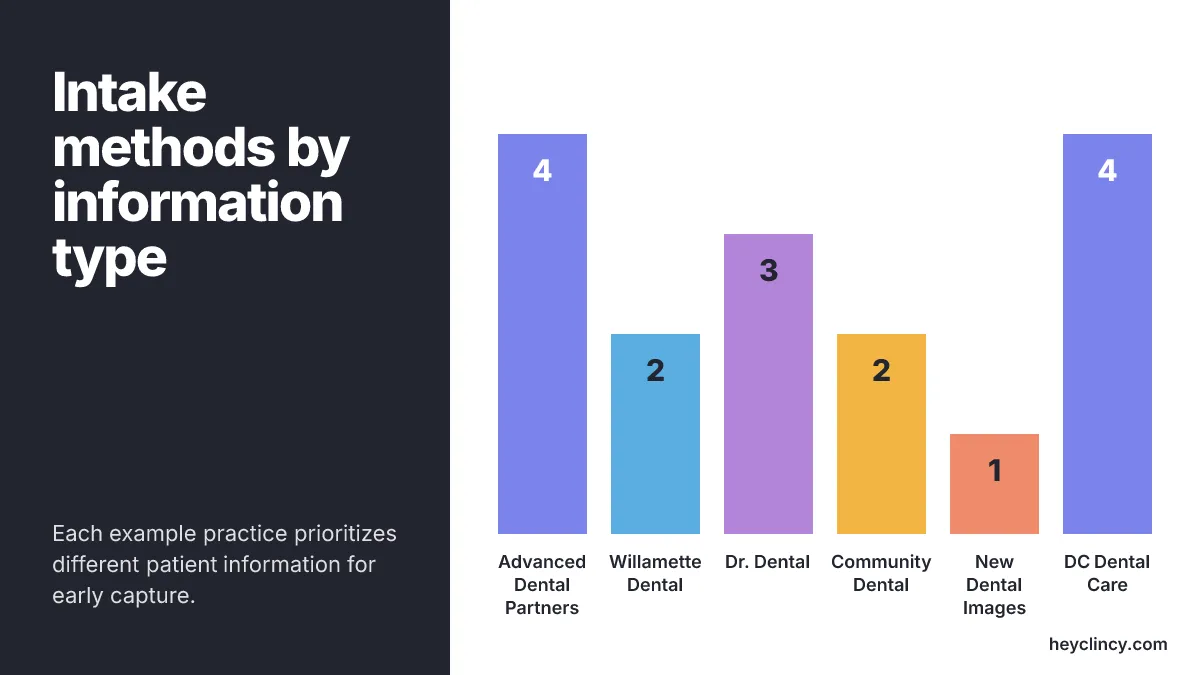
| Intake example | Format shown in the source | Information emphasis | Best operational use |
|---|---|---|---|
| Advanced Dental Partners | Patient Resources with HIPAA and intake forms | Contact information, medical history, allergies, insurance details | Fuller intake before front-desk and clinical review |
| Willamette Dental | Reminder link to two online forms | Basic medical and dental history | Pre-appointment completion tied to reminders |
| Dr. Dental | Downloadable packets | English, Spanish, and Portuguese packets | Multilingual new-patient preparation |
| Community Dental | PDF intake form | Patient information and Health History | Clinical review before the visit |
| New Dental Images | View and print forms | First-visit paperwork | Paper-friendly intake for patients who bring forms |
| DC Dental Care | PDF registration form | Name, date of birth, sex, mailing address | Basic demographic registration |
A good intake decision usually follows four steps:
- Pick the fields that must be complete before the patient arrives, such as allergies, medical history, insurance details, and preferred contact information.
- Remove fields nobody reviews before the appointment, because unused questions create longer forms and more incomplete submissions.
- Assign one owner for incomplete intake, such as the front desk coordinator for demographics and insurance or the treatment coordinator for clinical follow-up.
- Record the outcome in Open Dental, including whether the patient completed forms, needs a callback, or should update information at check-in.
A practice with low new-patient volume and no monitored digital queue should keep a printable or downloadable packet until ownership is fixed. Online intake creates more work when forms arrive in an inbox nobody checks, when patients reply to texts that do not have an owner, or when completed information has to be manually copied during the morning rush.
Open Dental compatibility deserves its own check for practices building intake around that system. Open Dental's August 2026 Version 26.1 stable release introduced the ODTouch 25 app release with an updated interface, accessibility options, and dark mode, so any intake process that depends on front-end behavior should be tested after interface changes.
Open Dental's August 2026 Version 26.2 beta added HQ global alerts in title bar, which matters for multi-location groups that route intake work across offices. Open Dental's April 2026 Version 25.4 stable release added a PaySuite bridge setup for Global Payments users, so practices that connect intake, eligibility, and payment conversations should confirm where those details are reviewed.
Clincy is building AI calls and texts for dental patient reactivation and unscheduled treatment follow-up, with Open Dental as its initial pilot focus. That positioning is different from a new-patient intake form: the intake form captures information for an upcoming visit, while reactivation and unscheduled treatment follow-up turn patient replies into confirmed next steps after a patient has gone quiet.
A marketing workflow belongs next to intake only when the practice can handle the patients it creates. Clinads is a dental and medical clinic marketing agency, one AI-powered marketing team for dental and medical clinics that builds, manages, and optimizes campaigns to book patients and improve local visibility, so a practice pairing intake cleanup with booking demand should check that form completion, callbacks, and scheduling ownership are ready first.
A simple test catches most intake problems before a practice buys anything. Take one recent new patient, one overdue patient returning to care, and one patient with unscheduled treatment, then trace the exact path from reminder to form completion to staff review to Open Dental note; if any step has no owner, software will move the gap faster rather than fix it.
Practices that need a starting point before choosing a system can use a Clincy New Patient Intake Form Template to standardize the fields the team actually reviews. The useful output is not a prettier form, but a shorter list of required fields and a clearer handoff from intake to scheduling.
Where to start: audit your next ten new-patient visits
Start with the next ten new-patient visits, not a platform search. Pull the forms or packets those patients received, mark every field the front desk or clinical team actually used, and remove or separate the rest before moving the workflow online.
The work takes one owner, a clean field list, and a rule for incomplete forms before the appointment. Once that is in place, compare intake examples by the problem they solve: online completion, multilingual access, health history depth, printable convenience, or basic registration. Stop the project at the point where intake information is captured, reviewed, and recorded; reactivation, unscheduled treatment follow-up, marketing, and missed-call workflows need their own ownership rules.
Frequently Asked Questions
What information should a dental patient intake form collect?
A dental patient intake form should collect essential information such as contact details, medical history, allergies, and insurance information. This ensures a smooth first visit and helps reduce the workload on the front desk by preventing repeated questions.
Why is it important for dental practices to have an effective patient intake process?
An effective patient intake process matters because it reduces front desk workload, improves patient experience, and ensures all necessary data is available before the appointment. It prevents issues like missing allergies or unclear insurance details, which can lead to time-consuming callbacks during check-in.
How can online patient intake forms benefit dental practices?
Online patient intake forms, like those used by Willamette Dental, allow patients to complete forms before their appointment, reducing the need for front desk explanations during busy times. This pre-appointment completion is efficient and helps ensure that all necessary information is collected in advance.
What are the advantages of offering multilingual patient intake forms?
Offering multilingual patient intake forms, as done by Dr. Dental, helps reduce confusion and errors for patients who may struggle with medical terms in English. This approach improves communication and reduces back-and-forth over demographic details, health history, and consent statements.
What should a dental practice consider when choosing a patient intake workflow?
When choosing a patient intake workflow, a dental practice should consider where each answer will be recorded, who will check for missing fields, and when the coordinator will contact the patient. The decision should be based on operational needs rather than just the form format.
Related reading
Tools you can use
Sources
Clincy keeps treatment conversations moving with personalized texts, human support, and scheduling in your practice management system.
Book CallMore from the blog
Effective Dental Office Text Messaging Templates
Explore text messaging strategies for 1,796 clinics in 567 cities to enhance patient engagement, reduce no-shows, and improve appointment adherence in 2026.
What to Do When Dental Patients Don't Respond to Recall
Explore AI-driven voice and SMS follow-up for dental practices, how to prevent patient annoyance, and the key to seamless Open Dental integration.